
Access Control
Access Control Connector
API · Vendor platform · Project connector
Connected operations
For buildings, parking and cities
Smart City Connect pulls data from the systems you already run and shows it in one place. A person approves the actions that matter.
Works with your existing systems. People stay in control.
Product preview · representative demo data
Operations
Example workflowNorth Campus
Nominal · 1 open
Quay Tower
Attention · 3 open
Riverside Residences
Nominal · 0 open
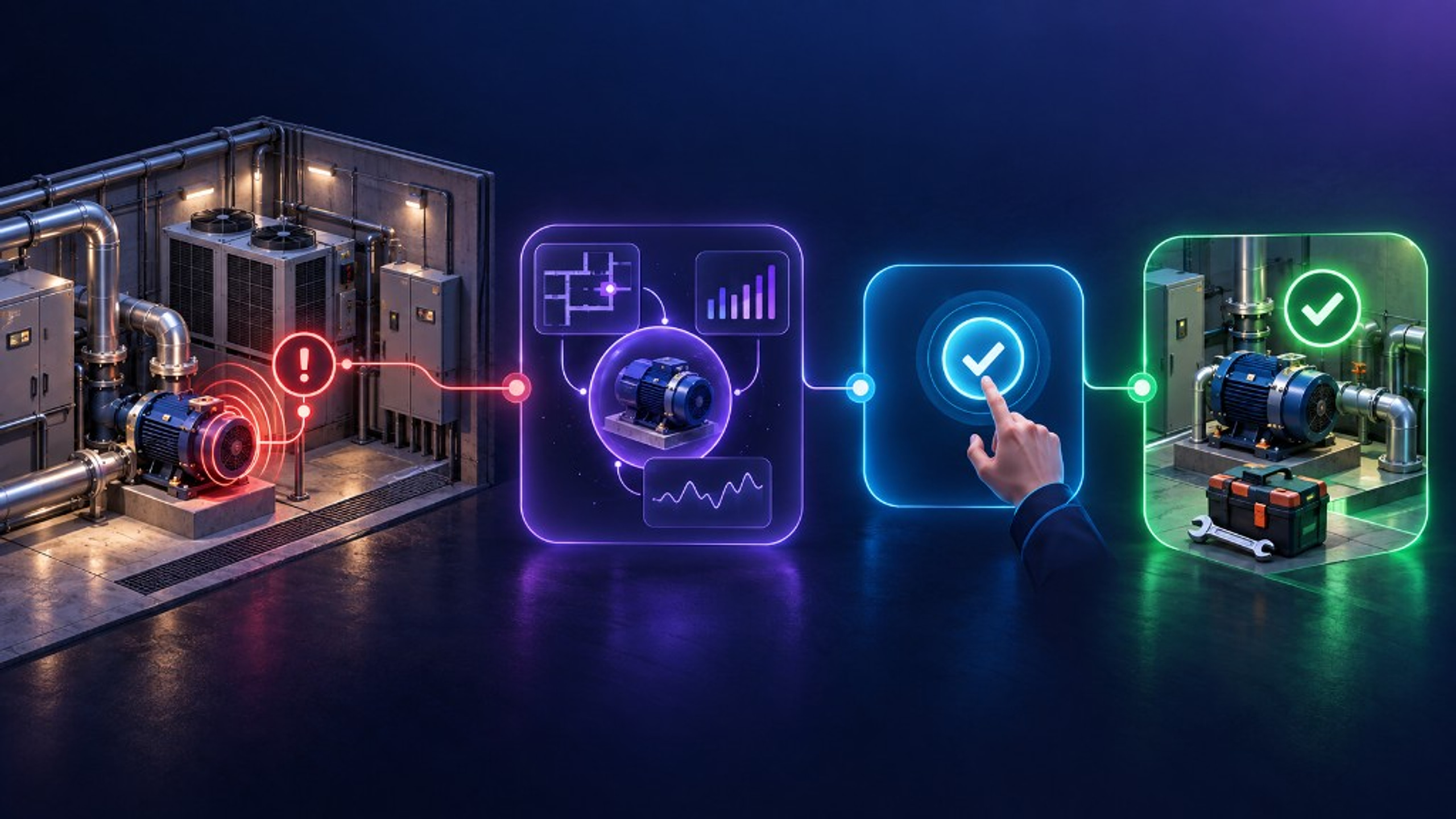
INC-218 · Quay Tower
Chiller CH-02 vibration
Unusual vibration on CH-02. Linked to plant room, recent energy load, and open maintenance history.
Owner: Jonas K. · State: Assigned
CH-02 has two similar vibration events this quarter. Recommend a technical inspection before the next peak load.
Awaiting operator approval
WO-78 · Inspect CH-02
Status: Ready to assign
Context from INC-218 stays attached to the task.
Who is this for?
Access, parking, visitors and maintenance in a dashboard anyone on the team can use.
Public safety, infrastructure and parking run from one ecosystem.
Free spaces, occupancy and revenue, from the parking's own systems.
Alarms from any source, crews assigned automatically.
My Family, My Pet, My Car and the emergency button, in one app.
Systems already in play
Connection method and scope are validated for each project. Manufacturer logos are published only after compatibility is confirmed.
The problem
Access, parking, cameras, energy, and maintenance each show part of the day. Teams stitch the rest by hand.
| Without Smart City Connect | With Smart City Connect |
|---|---|
| Separate dashboards and alerts | One operational view |
| Incidents without enough context | Location, asset, history, and responsibility together |
| Manual copying between tools | A connected operational workflow |
| Status updates through calls and spreadsheets | Owner, action, status, and audit trail |
How it works
One maintenance example, from the first alert to a verified close. The same incident can be followed in the dashboard, the app, and RiA AI.
Same ecosystem
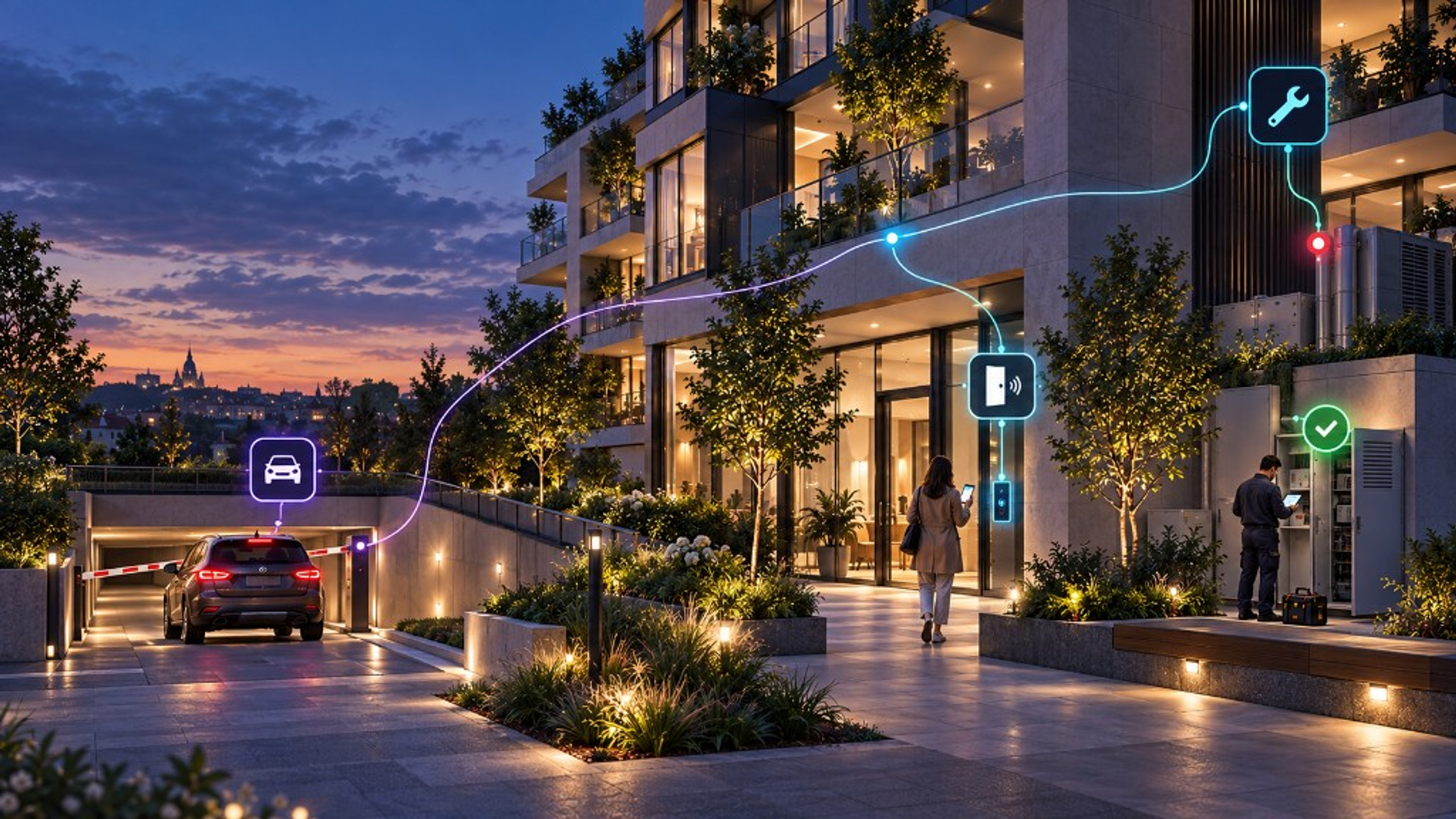
Drivers see free spaces. Managers see building alerts. The city sees the whole picture.
See locations, systems, incidents, tasks, and operational status in one place. Learn more.
Operations overview
Example workflowNorth Campus
Nominal · 1 open
Quay Tower
Attention · 3 open
Riverside Residences
Nominal · 0 open
RiA ERP can connect physical incidents with helpdesk, field service, assets, costs, and reporting. Read about RiA ERP.
Confirmed signals
Under 15 minutes
Typical reply time to a demo request during working hours.
13 domains
Smart infrastructure domains cities can connect in one ecosystem.
Integrations
Each connector is labeled by status. Native, API, partner, and planned connections are not treated as the same thing.
Access Control
API · Vendor platform · Project connector
Video & VMS
API · Webhook · Vendor platform
Parking
API · SDK · Vendor platform
Intercom
API · Protocol adapter · On request
BMS
API · Protocol adapter · On request
Energy
API · IoT connector · On request
Lighting
API · On request
IoT
API · MQTT/webhook where supported · SDK
Security
RiA can recommend. It does not execute critical actions on its own. Operators keep control of identity, data, and the record of what happened.
Access follows the person, the organization, and the location they are allowed to operate.
Consequential actions wait for an authorized operator before they proceed.
Owner, action, status, and result stay attached to the original event.
Existing systems remain the source. Smart City Connect connects the operational context operators need.
Solutions
Published solution
Access, parking, visitors, and building staff live in separate tools, so managers stitch the day together by hand.
One operational view for the building, and one app for the people who use it.
Open solution →Published solution
Barriers, cameras and payment systems already run. Occupancy and guidance still live elsewhere.
Drivers see free spaces. Operators see occupancy and revenue — without replacing what is already installed.
Open solution →Published solution
Lighting, water, air and public safety generate data in separate silos.
Thirteen infrastructure domains can sit in one ecosystem, on a low-power IoT network.
Open solution →A live demo maps the systems you operate today, walks one alert-to-resolution path, and shows dashboard, app, and RiA AI on the same incident.